

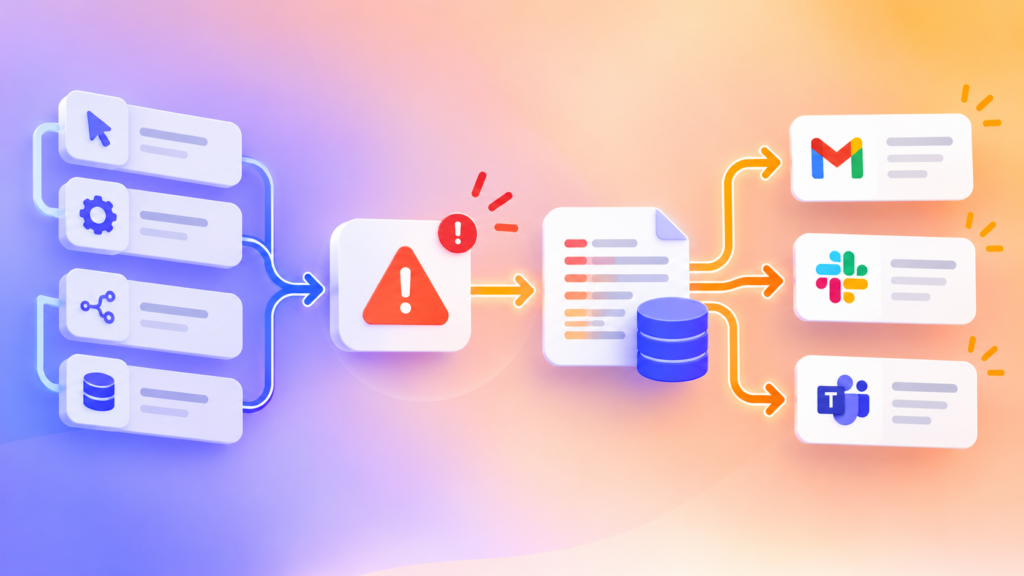
Automatisering werkt alleen als het betrouwbaar draait. Als er iets fout gaat zonder dat je het merkt, gaan leads verloren, worden e-mails niet verstuurd en stoppen processen op de achtergrond. Daarom heb ik een systeem gebouwd dat fouten automatisch detecteert, logt en meldt.
Het probleem
De meeste automatiseringen draaien op de achtergrond. Wanneer er fouten ontstaan zoals:
- Ongeldige inloggegevens
- API-fouten
- Verbroken connecties
- Onderbroken workflows
Is er vaak geen direct signaal. Het gevolg: vertragingen, gemiste leads en systemen die ongemerkt stoppen. Dit wordt nog lastiger wanneer je meerdere klanten beheert.
De oplossing
Een centraal error logging en notificatie systeem. Wanneer een workflow faalt, gebeurt het volgende automatisch:
- De fout wordt direct gedetecteerd
- De fout wordt opgeslagen in een logbestand
- De juiste klant en workflow worden herkend
- Er wordt een melding verstuurd
Elke klant heeft een eigen log. Overzichtelijk. Gestructureerd. Schaalbaar. Elke workflow is gekoppeld aan een error monitoring flow.
Als er iets misgaat:
- Wordt het automatisch geregistreerd
- Duidelijk gelabeld
- Opgeslagen per klant
- Direct zichtbaar gemaakt
Geen handmatige checks meer nodig. Het systeem monitort zichzelf.
Het resultaat
Betrouwbaardere automatiseringen.
- Fouten blijven niet onopgemerkt
- Problemen worden sneller opgelost
- Workflows blijven draaien
Je krijgt een systeem waar je op kunt vertrouwen.
Waarom dit belangrijk is
Automatisering draait niet alleen om tijd besparen. Het draait om systemen bouwen die je kunt vertrouwen. Door fouten automatisch te monitoren blijft alles stabiel, zelfs wanneer je opschaalt.